Where the work meets
the data.
A task board that lives next to your campaigns. Assign, comment, ship — without bouncing between Trello, Slack and 14 ad-platform tabs.
New PMax campaign · Spring sale
Refresh hero creatives
Audit Meta retargeting audiences
Weekly executive board export
Pause Ad Set 7 (GlowyAI suggestion)
Holdout test — Brand search
Inside the product
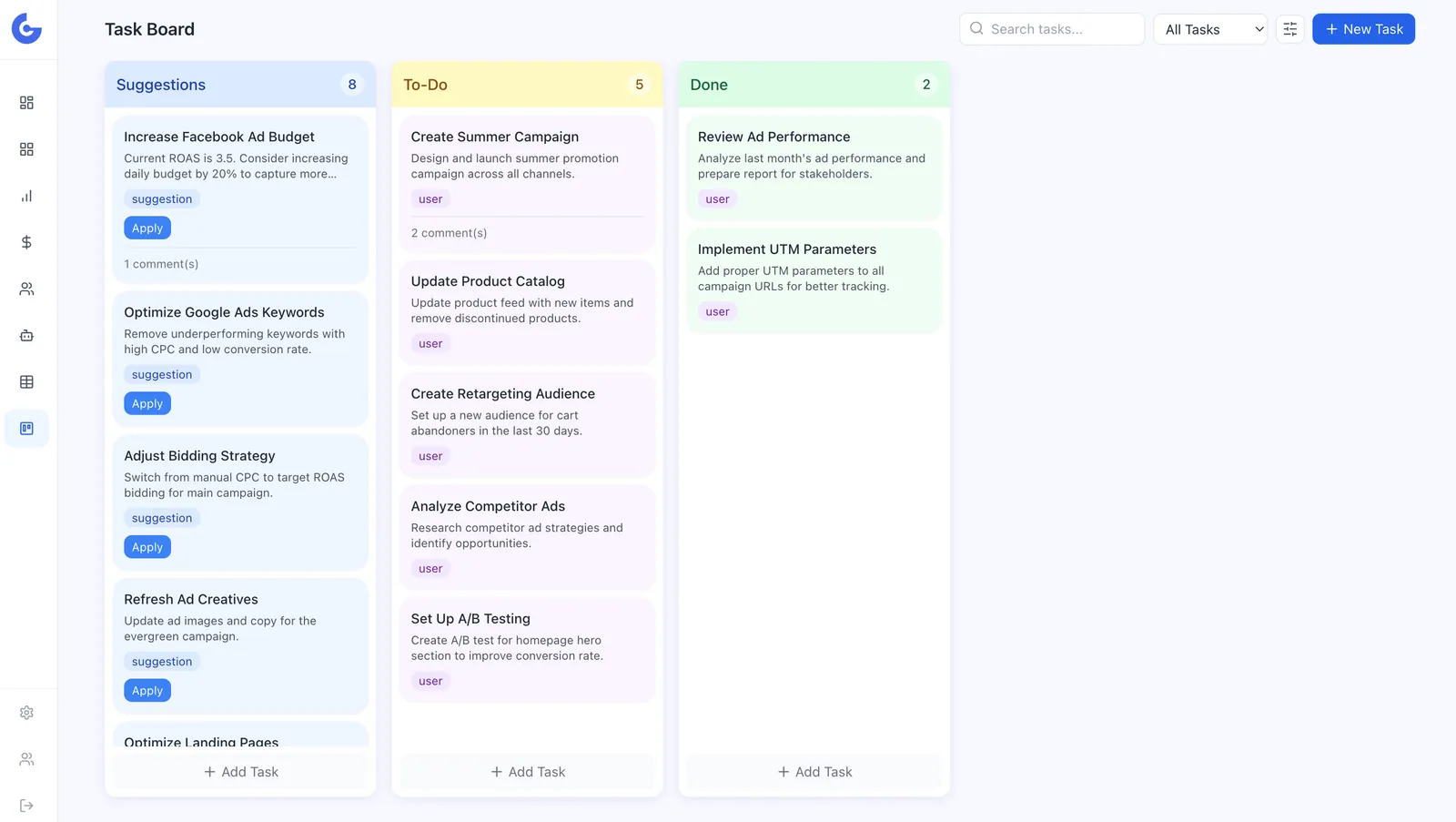
The board your team already wants.
Real Kanban, real assignments, real comments — not a glorified to-do list.
Use cases
From "we should do this" to shipped.
Turn an AI suggestion into a task
GlowyAI flags an underperforming ad set. Convert it to a task in one click — assigned, dated and linked to the campaign.
Run weekly performance reviews
Pre-built "Weekly review" template. Follow-ups land on the board automatically — nothing slips between Mondays.
Coordinate creative production
Brief, draft, review, ship. Comments and file attachments live on the card — agency and in-house in the same place.
Everything you'd expect
A real project tool, not a sticky-note panel
Glowytics tasks have the basics — and a few things only a marketing-aware tool can do.
Kanban built for marketers
Backlog → In progress → Review → Done. Or build your own columns. Move cards by dragging — keyboard shortcuts for the power users.
Assignments & deadlines
Assign anyone on the team, set due dates, attach files. Cards turn red when they go past due — nobody has to chase.
Comments & @mentions
Discuss the work where the work lives. Mention a teammate and they get a notification — and an email if they're away.
Labels & filters
Tag tasks by channel, priority, or quarter. Filter the board to see only what matters this morning.
Smart reminders
Daily digest of what's due, what's overdue, and what your team finished. No more standup-by-Slack.
Linked to your data
Tie a task to a campaign, a creative or a KPI. When the metric moves, the task page shows it — context that lives next to the work.
How it works
Set up your board
Pick a template — paid media, creative production, weekly ops — or build your own columns in 30 seconds.
Drop in tasks
From a comment, an alert, or a GlowyAI suggestion. Assign, label and set a due date.
Ship the work
Drag to "Done", let teammates see the impact, and let GlowyAI surface the next thing to tackle.
Get the work out of your inbox.
14-day free trial. Spin up a board today, ship by Friday.